
About the Events Calendar
The Events Calendar was developed in response to partner feedback and is designed to make it easier for colleges, high schools, and other OCAS partners to share and promote their events.
Once submitted, your event will be reviewed and, if approved, added to the Ontario Colleges Events Calendar.
How to access the Events Calendar Portal
You can find the login link in the “Log in / Register” drop-down menu of ocas.ca, or by going to https://www.ontariocolleges.ca/en/admin.
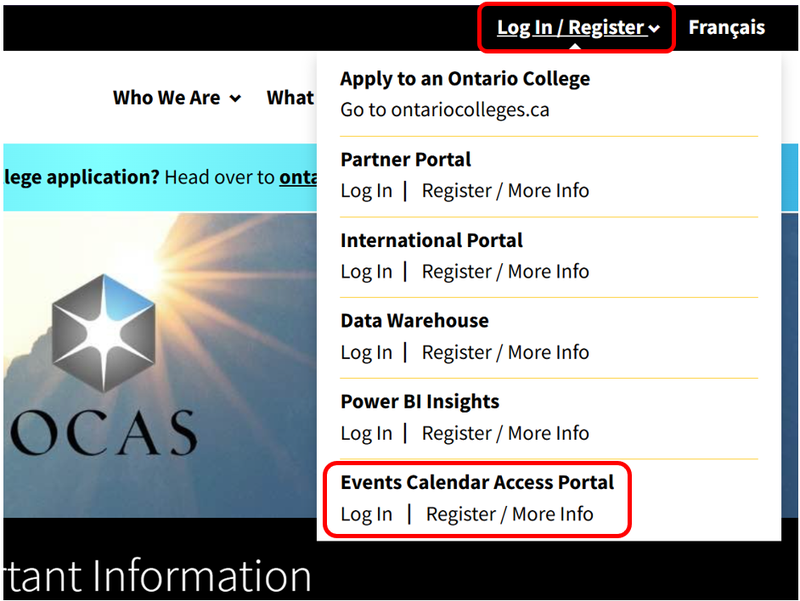
When you’re ready to log in, please enter your email address and password.
If you do not have an account, see the Requesting Access section on this page.
Once you log into the portal, you’ll be prompted to fill out the event submission form. Please follow the on-screen steps to submit an event.
Requesting Access to the Events Calendar Portal
If you’d like to request access to the portal, please email your first name, last name, and email to webservices@ocas.ca.
Once approved, access will be granted in 2-3 business days. You’ll receive a confirmation email when access to the portal has been granted.
What's New
Our self-serve event management tools are designed to help you view and update your events in one central location. Through the Events Calendar Portal, you’ll be able to manage your submissions more efficiently to reach prospective college students across Ontario.
The new event management tools will help you:
- View all events submitted by users at your school in one place, making it easier to keep track of what has been submitted across your institution.
- Update or delete your events at any time, ensuring event information can be kept current as details change.
- Duplicate existing events, reducing the effort involved in creating similar or recurring entries.
Submitting an Event
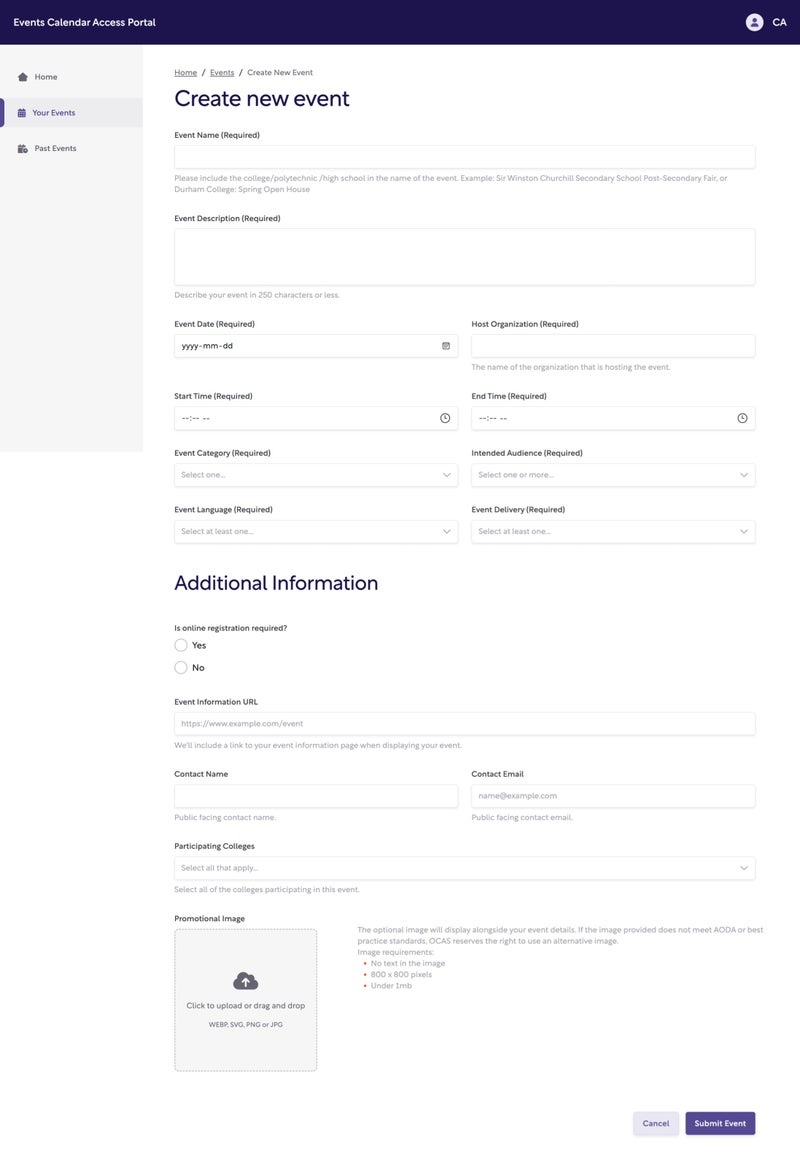
What you'll need to provide
To help us post your event accurately, be ready to include:
- Event name (should include your institution’s name)
- Date and time
- Location (address, virtual, or hybrid)
- Event description (overview of what attendees can expect)
- Registration link (if available)
- Participating colleges (if known)
- Target audience (e.g., students, parents, guidance counsellors)
The more detail you can provide, the easier it is to promote your event!
When you’re ready, log into the Events Calendar Portal and complete the submission form. If you have multiple events to share, you can submit additional forms or duplicate an existing event. Let’s help more learners discover the opportunities waiting for them!
Event details will only be presented in the language they were submitted in. If you’d like your event to appear in French on the Event Calendar, please submit the event details in French.
Viewing Your Events
From the home page of the event submission portal, you can browse all your upcoming events.
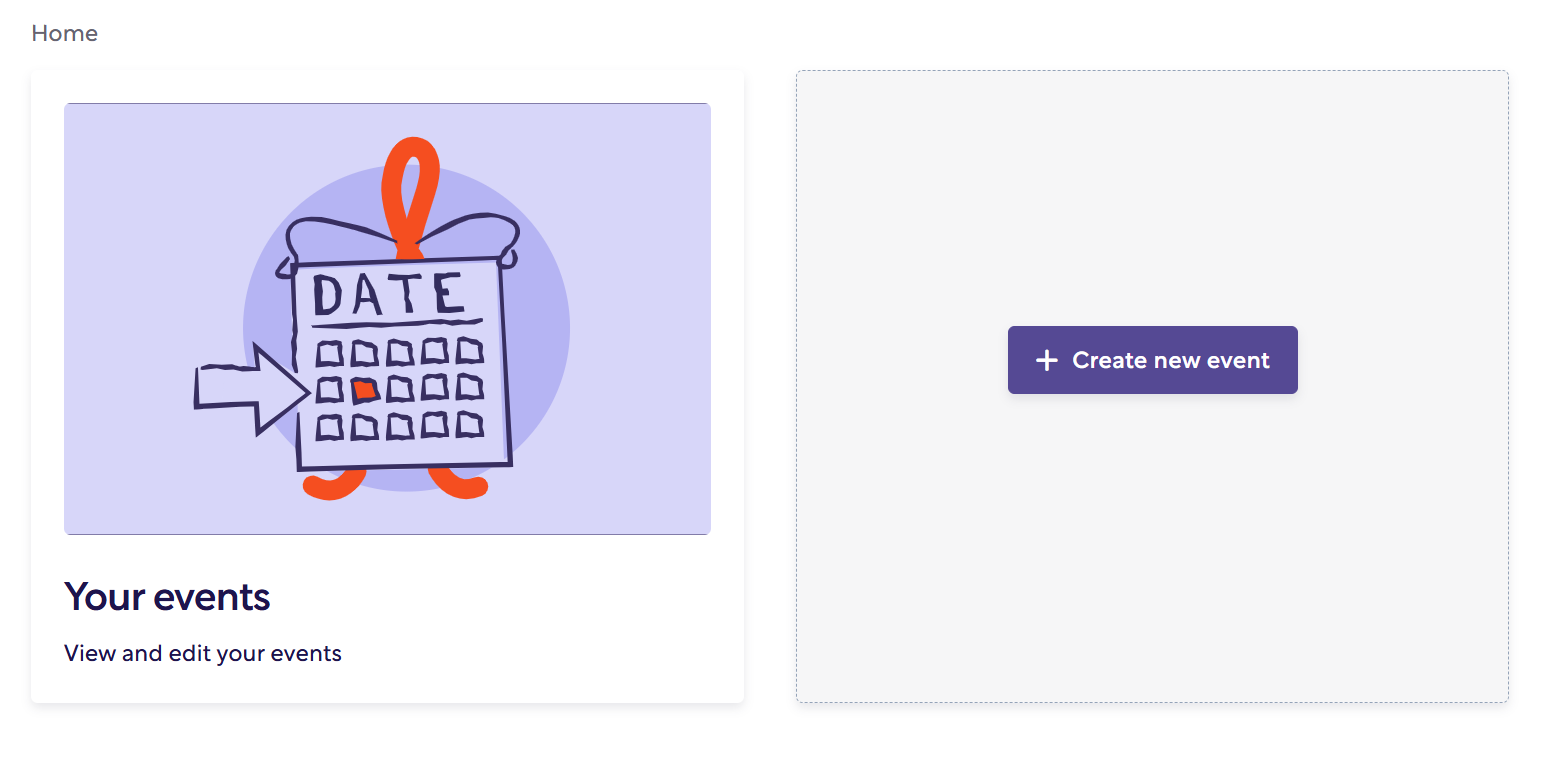
When you click the “Your events” tile, you’ll be brought to a screen where all your upcoming events are visible.
Managing Your Events
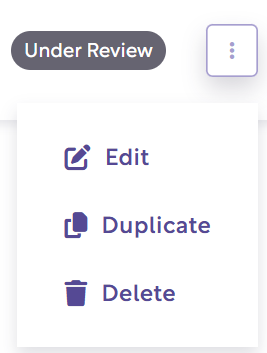
From the “Your Events” page, you can manage your events through the “More Options” button on the right side of every submitted event.
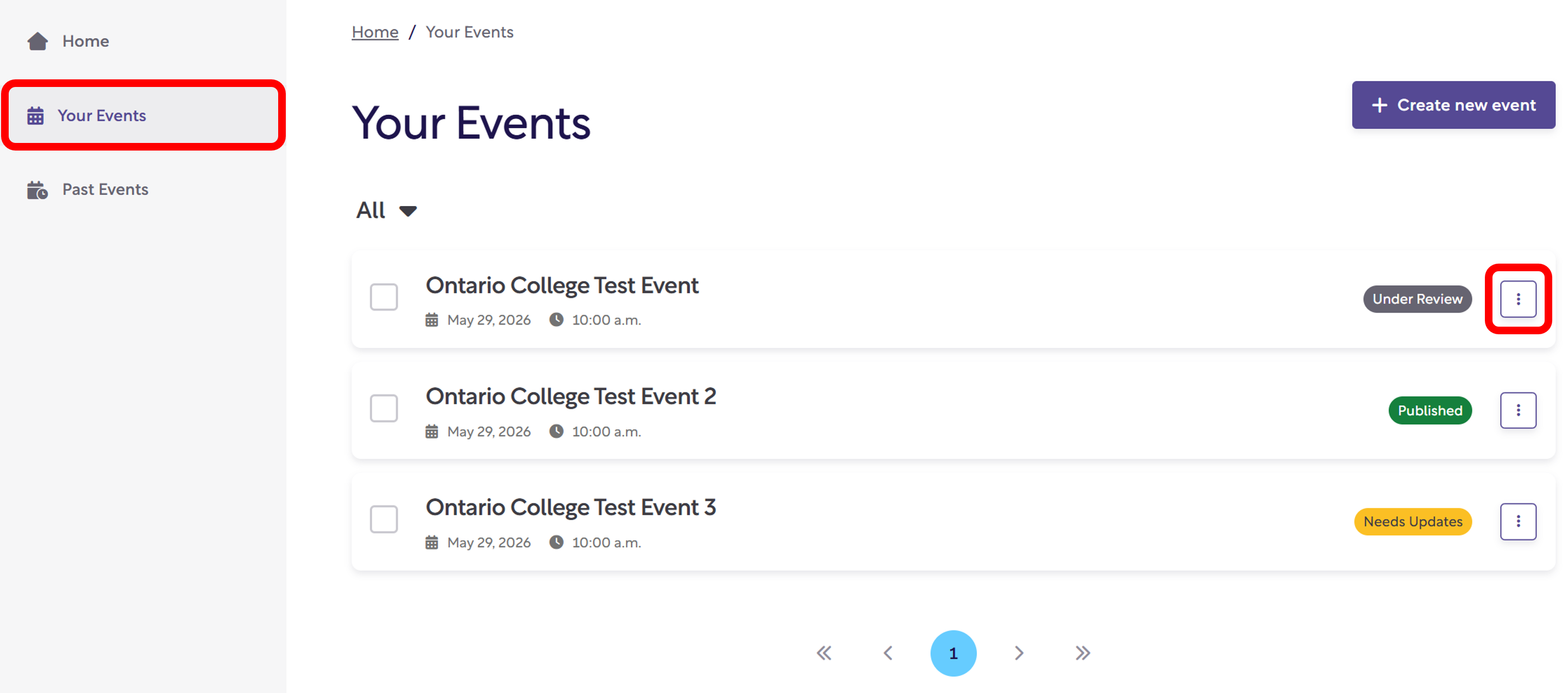
Check Status
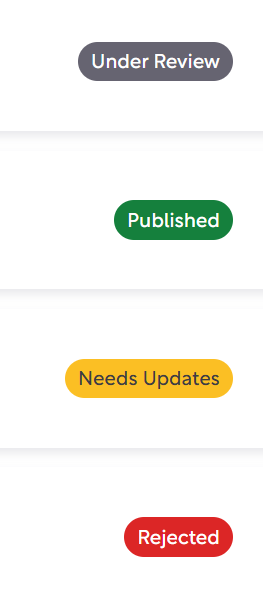
You can easily view the status of your event. There are four possible event statuses:
- Under Review
- Published
- Needs Updates
- Rejected
Edit: Edit allows you to make changes to previously submitted events. Editing an event may trigger it to be reviewed by a member of OCAS.
Duplicate: Duplicate allows you to make a copy of the previously submitted event. Please don’t forget to make changes to the copied event to avoid duplication on the website.
Delete: Delete allows you to remove the event from the Ontario Colleges Event Calendar. Deleting an event removes it from our system and it will not be available to be recovered.
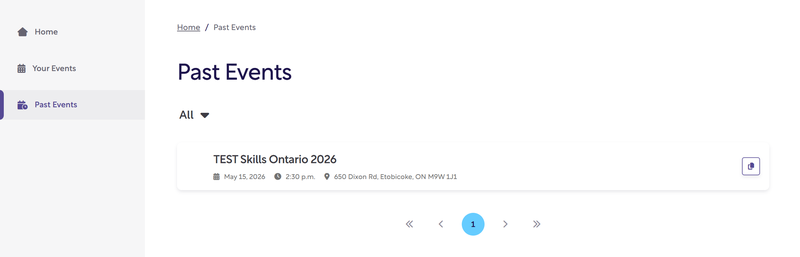
How to View Past Events
On the navigation panel, there is now a specific page to view past events. This allows you to view and duplicate previously submitted events.
Thank you for helping keep the Ontario Colleges Event Calendar up to date for learners across the province. By using the Events Calendar Portal, you’re helping prospective students discover meaningful opportunities to connect with Ontario’s public colleges. If you have any questions or need support, please contact the OCAS team for assistance.
